Phone Tracker Locator With GPS
Avn Global ApplicationMaps & Navigation
4.112.00 Reviews
- Version
- 1.2.2_09072026
- Installs
- 100.00K
- Age Rating
- Everyone
Screenshots
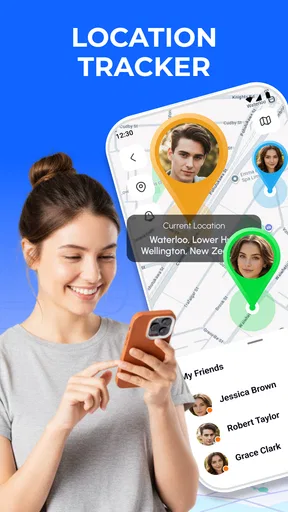
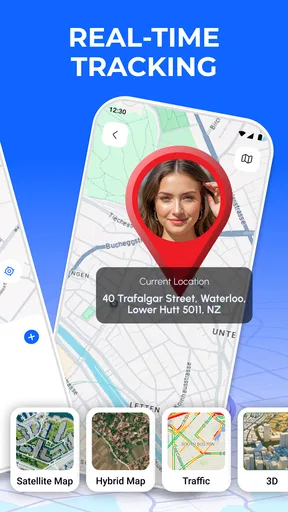
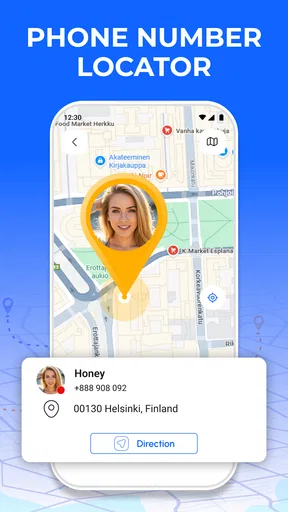
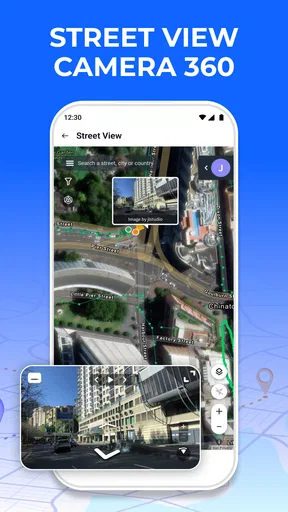
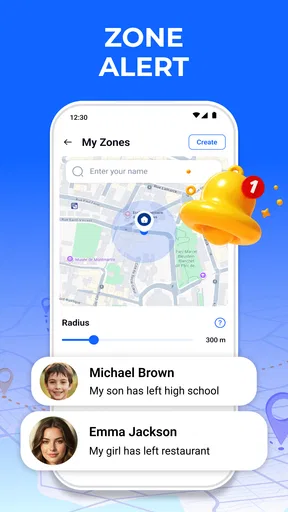
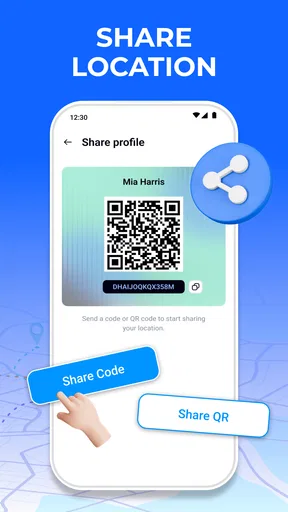
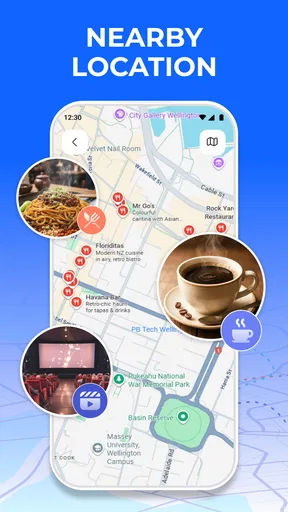
Our Review of Phone Tracker Locator With GPS
 Analysis by Appyee
I approached Phone Tracker Locator With GPS as a practical navigation and location-sharing app rather than as a full replacement for every mapping tool on a phone. Its purpose is easy to understand: help people stay aware of real-time locations, receive useful alerts, and make location sharing feel more controlled. That combination can be valuable for families, friends meeting in unfamiliar places, or anyone who wants a simple way to check where someone is without turning the process into a long exchange of messages.
What interested me most was not just whether the map worked, but how comfortably different people could use the app in everyday situations. A location tool has to be readable while someone is walking, understandable when they are worried, and manageable for people who may have limited vision, reduced dexterity, hearing differences, cognitive fatigue, or a poor internet connection. In my experience, the basic idea is approachable, but the usefulness depends heavily on how carefully the user sets it up and how much they expect it to do.
How the interface feels when you need location information quickly
The first strength is the directness of the concept. A phone tracker should not make users hunt through unrelated features before reaching the location view, and this app is positioned around that central task. The short description, “Phone Tracker,” is plain but accurate. I found that this focus makes the app easier to explain to another person, especially someone who is not comfortable with complicated technology.
That simplicity matters for readability. Location information is often checked under pressure: a child has not arrived, a friend is late, or someone wants reassurance during a journey. In those moments, a clean route to the current location is more helpful than a crowded dashboard. I would still advise new users to explore the screens calmly at home, because a person who only opens a tracking app during an urgent moment may struggle if they have not already learned where alerts and sharing controls are located.
The map itself is naturally visual, so the experience will not be equally comfortable for everyone. People with good eyesight may find the familiar map format quick to understand, while users with low vision may need to rely on the phone’s own display enlargement, contrast, text-size, or screen-reader settings. I would not treat those system tools as a special feature of the app, but they can make a meaningful difference. Before depending on it, I would test the important screens with the accessibility settings that the intended user already prefers.
One useful habit is to decide in advance what information actually matters. If the goal is simply confirming that a family member reached a destination, repeatedly studying the whole map may create unnecessary visual effort. If the goal is coordinating a meeting, the current position and an alert may be enough. The best experience comes from using the tracker for a defined question, not watching a map continuously.
Readable setup is more important than constant monitoring
Real-time location can sound effortless, but it depends on cooperation. The people being located need to understand what they are sharing and why. I recommend explaining the arrangement in everyday language before sending an invitation or asking someone to enable tracking. That is especially important for older relatives, teenagers, or anyone who becomes anxious when presented with unfamiliar settings.
A short setup routine can reduce confusion. I would first identify the people who genuinely need access, then agree on when location sharing is useful, and finally decide which alert situations matter. This avoids a common mistake: creating too many notifications until every phone movement feels urgent. Alerts should support attention, not compete with it.
For users with cognitive or attention-related needs, predictable routines can help. Checking the same screen at a planned time is often easier than responding to a stream of spontaneous checks. Families can also agree on a simple phrase for a location concern, so the person being tracked does not have to interpret a technical explanation while travelling. These are not special controls inside the app; they are practical ways to make its central function less mentally demanding.
Touch, sound, and visual attention during movement
Location apps are frequently used with one hand, outdoors, or while the user is already doing something else. That creates motor and sensory challenges. Small map controls, tightly spaced buttons, or a need for repeated gestures can be frustrating for someone with tremors, arthritis, limited reach, or temporary hand strain. I would avoid trying to operate it while cycling or crossing a road. The app may help with coordination, but it should not become a distraction from immediate safety.
Voice control and larger system interface settings may make the phone easier to operate, although the quality of that experience depends on the device and operating system. Users who depend on spoken feedback should test whether the essential location information is understandable without looking at the screen. A map can communicate context visually in a way that is difficult to reproduce through speech alone, so a trusted person may still be needed for interpretation in some situations.
Hearing differences also affect how useful alerts are. A notification that depends mainly on sound is not enough for someone who may not hear it. I would pair important alerts with visible or vibration-based signals available through the phone, then test them in the environments where they will actually be used. A quiet room is not a realistic test for a busy street, a workplace, or a bag left across a room.
For users with light sensitivity or visual fatigue, prolonged map viewing may be tiring even when the information is technically available. I found it more sensible to use the app for brief checks and agreed alerts rather than leaving the map open for long periods. This approach also reduces the temptation to interpret every small movement as a problem.
Useful in ordinary routines, not only emergencies
A realistic example is a parent waiting for a teenager to return from an unfamiliar route. Instead of sending repeated “Where are you?” messages, the family can use the location view to answer the immediate question and reserve messages for situations that need conversation. The parent should still explain the arrangement clearly and avoid treating a location signal as a substitute for trust or communication. A delayed update, an indoor position, or an unexpected stop may require context that a dot on a map cannot provide.
Another use is meeting a friend at a large public place. One person can check the other’s position rather than describing landmarks that may be difficult to see or hear in a crowded environment. This can be particularly helpful for someone who finds spoken directions hard to follow, or for a visitor who is overwhelmed by noise and unfamiliar signs. I would still choose a clear meeting point before starting, because tracking is a backup for coordination, not a guarantee that two people will find each other instantly.
It can also support a relative who wants a little reassurance while travelling. The important distinction is between voluntary assistance and hidden surveillance. The app is more appropriate when everyone understands the purpose and can discuss when tracking is active. If a person feels pressured to share their location all the time, the technical convenience does not make the arrangement healthy or inclusive.
How it compares with ordinary map apps and messaging
Traditional map apps are usually stronger when the main task is planning a route, finding a business, checking traffic, or exploring an area. Phone Tracker Locator With GPS is more focused on the relationship between people and their current locations. That makes it a better fit when the question is “Where is this person?” rather than “How do I get to that address?”
Messaging apps can be more convenient for a one-time location share because many people already use them. They are often better when the user wants to add context, such as “I am at the north entrance” or “I will be there after the appointment.” A dedicated tracker becomes more attractive when location awareness and alerts are recurring parts of a routine. The trade-off is that another app means another interface to learn and another place where users must understand sharing choices.
I would not replace a trusted navigation app with this one for turn-by-turn driving or walking directions. I would use the two kinds of tools together when necessary: a conventional map for the route and the tracker for coordinating people. That division keeps each app responsible for the task it handles best.
Privacy is part of accessibility
The store summary highlights privacy alongside location and alerts, and I consider that important for inclusive use. A person cannot feel genuinely supported if they are confused about who can see them or when. Before relying on the app, I would review every sharing choice with the people involved and make sure they know how to stop participating or ask for help.
This is particularly important for users who depend on a caregiver, family member, or support worker. Assistance should not automatically mean unlimited observation. A respectful arrangement might use tracking for a journey, an agreed check-in period, or a specific safety concern rather than leaving it active without discussion. The app can be part of that arrangement, but the boundaries need to come from the people using it.
Privacy also affects sensory comfort. Frequent alerts can create anxiety, especially for someone who interprets every notification as an emergency. I would begin with only the alerts that solve a clear problem, then adjust after observing how they affect the user. More information is not always better information.
Where the experience still has friction
The app is free to install, which lowers the barrier for trying it. However, in-app purchases range from around six dollars to around fifty dollars per item, so I would pay attention to any optional upgrade before committing to a long-term family routine. A free starting point is useful, but users should understand which parts of their intended workflow require payment before they invite several people to depend on it.
Its audience is broad, with an Everyone content rating, but that does not mean every person will find the interface equally accessible. Age suitability and accessibility are different questions. An older adult may be allowed to use the app but still need larger text, a simplified explanation, or help with the first setup. A person with a disability may need to test the app using their preferred phone settings rather than assume that a general-purpose location view will meet their needs.
Connectivity and phone conditions are practical concerns for any real-time tracker. A location tool is less reassuring if the phone is indoors, has limited battery, or cannot communicate normally. I would never use it as the only safety plan for someone travelling alone. Agreeing on a backup call, a meeting point, or a trusted contact is sensible, especially for journeys through areas where the user may have difficulty checking the screen.
There is also a human limitation: location data lacks explanation. It may show where a phone is, but not whether the person is safe, comfortable, lost, or asking for help. For users with communication difficulties, this distinction is crucial. A tracker can reduce uncertainty, but it cannot replace a conversation or a properly planned support arrangement.
Who should try it, and who should choose something else
I think it is worth trying for families and small groups who want a dedicated way to stay aware of one another’s locations without relying entirely on message threads. It is also a reasonable option for people who appreciate alerts and prefer a focused location tool over a general social platform. The developer is Avn Global Application, and the app has reached over one hundred thousand installs with a 4.1 average from around three hundred ratings, which suggests that it has attracted a meaningful early audience without making it the obvious choice for every phone owner.
I would be more cautious about recommending it to someone who primarily needs detailed navigation, public-transit planning, or local search. A conventional maps app is likely to be more suitable for those jobs. I would also hesitate when a user needs a highly specialized accessibility experience, extensive offline planning, or a clearly established professional safety system. In those cases, the person should test this app carefully and compare it with tools designed specifically for that requirement.
The current version is 1.2.2_09072026 and it supports Android 7.0 or later. That makes it usable on a range of older Android phones, which can be helpful for families sharing devices across different generations. Still, compatibility alone does not guarantee a smooth experience on every screen size or with every assistive setting. I would install it on the actual phone that will be used, not judge it only from a newer device.
My inclusive verdict after weighing the trade-offs
Phone Tracker Locator With GPS is most convincing when treated as a focused coordination tool. Its real value is not that it can answer every navigation question, but that it can bring location awareness, alerts, and privacy discussions into one dedicated routine. For a family checking arrivals or friends trying to meet in a difficult environment, that focus can remove repeated messages and reduce uncertainty.
My recommendation comes with a clear condition: set it up collaboratively. Explain the purpose, test the important screens with the user’s preferred visual, touch, sound, and voice settings, and create a backup plan for moments when the phone or connection is not enough. Start with a small number of alerts, because an overloaded notification stream can make the app less accessible rather than more helpful.
For me, the strongest reason to choose it is its focused people-location workflow; the strongest reason to pause is the need to verify that its map, alerts, sharing controls, and optional purchases fit the particular user. It is free to begin, rated for Everyone, and suitable for a straightforward trial. I would recommend it to people who want a dedicated tracker and are willing to build clear privacy and accessibility habits around it, while directing route planners and users with highly specialized needs toward alternatives better matched to those jobs.
Verdict
Strengths of Phone Tracker Locator With GPS
- Real-time location updates help users monitor shared devices or family members.
- Simple map interface makes current and recent locations easy to understand.
- Useful for coordinating meetups when everyone has agreed to share their location.
- Location history can help retrace journeys and identify where a device was last seen.
- Works as an additional safety tool for families, travelers, and outdoor activities.
Limitations of Phone Tracker Locator With GPS
- Continuous GPS use may noticeably reduce battery life on tracked devices.
- Accurate tracking depends on GPS signal, mobile data, and location permissions.
- Location sharing raises privacy concerns if access is not carefully managed.
- Some features may require a subscription or include frequent advertising.
- Indoor locations and dense urban areas can produce less accurate results.
Other Releases by Avn Global Application
View All
Remove background & Object
Art & Design3.5

Beauty Camera Selfie Makeup
Beauty4.6
Similar Picks in This Category
View All
Uber - Request a ride
Uber Technologies, Inc.4.7


inDrive. Rides with fair fares
® SUOL INNOVATIONS LTD4.8

Yandex Go: Taxi Food Delivery
Mikromobilnost LLC Belgrade4.8

Bolt: Request a Ride
Bolt Technology4.8

Rapido: Bike-Taxi, Auto & Cabs
Rapido Bike Taxi4.8
Frequently Asked Questions
What is Phone Tracker Locator With GPS and how does it work?
Phone Tracker Locator With GPS is designed to help users view the location of a phone or connected contact on a map using GPS, mobile networks, and available Wi-Fi information. After installation, the app generally requires location permissions and may ask you to create or join a private group. Location accuracy depends on the device, signal strength, GPS availability, and whether location sharing is enabled.
Does Phone Tracker Locator With GPS require permission from the person being tracked?
Yes. Responsible use requires the knowledge and consent of anyone whose location is shared. The app should not be used to secretly monitor a partner, family member, employee, or another person. Depending on the device and version, users may need to accept an invitation, enable location sharing, and grant background-location permission. Always review the app’s privacy policy and local laws before using its tracking features.
Can Phone Tracker Locator With GPS locate a lost or stolen phone?
The app may help display a phone’s location if the device is switched on, connected to the internet, signed in to the relevant account, and sharing its location. It cannot reliably locate a phone that has no battery, is offline, has location services disabled, or has been reset. For a stolen device, avoid confronting anyone yourself and use official Apple or Google recovery tools and contact the authorities.
Does the app work without an internet connection or with GPS turned off?
Phone Tracker Locator With GPS normally needs both location services and some form of internet connection to transmit updated coordinates. GPS may still estimate a position outdoors, but the result cannot be shared with another device while the phone is offline. Indoors, underground, in dense cities, or near tall buildings, accuracy can decrease. Battery-saving settings and restricted background activity may also delay updates.
Is Phone Tracker Locator With GPS free, and what should I check before downloading?
Availability of free features, subscriptions, advertisements, and in-app purchases can vary by platform and app version, so check the current store listing before installing. Pay particular attention to recurring subscription prices, trial terms, cancellation instructions, requested permissions, developer information, and recent user reviews. Also confirm that the app supports your Android or iOS version and provides a privacy policy explaining how location data is handled.
